WhenCategory is News
ThenHide automatic contents
A table of contents for WordPress
Give readers a clear path to the section they need. Add contents automatically, choose a site-wide design, and control placement and heading labels for each article.
No time limit. No account needed for Free.
Version 1.1.4 WordPress 6.5+ PHP 7.4+
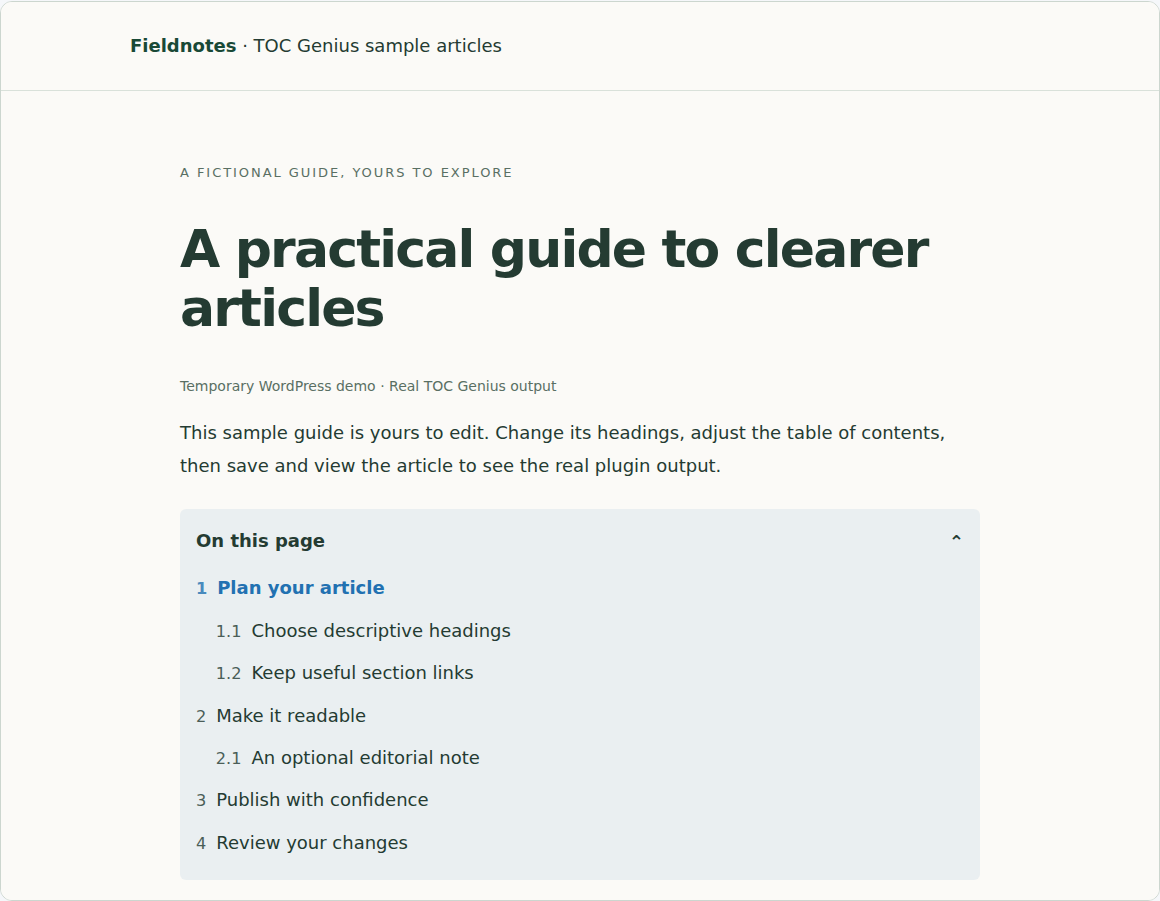
Automatic contents, nested headings and current-section highlighting help readers find their way.
Choose placement, rename TOC labels and exclude headings for each article. All included in Free.
The plugins run locally, with no telemetry, external assets or front-end credit link.
Add Pro when your library grows
Keep contents off news posts. Give your guides a shared design. Pro applies your choices to the articles that match.
Illustrative setup. The first matching enabled rule wins. Pro starts with no rules.
Free & Pro
Start with the essentials. Add shared workflows and navigation when you need them.
| Feature | Free | Pro add-on |
|---|---|---|
| Automatic placement and heading-level selection | Included | Included through Free |
| Manual block and [tocgenius] shortcode | Included | Included through Free |
| Appearance presets, width, alignment, and spacing | Included | Included through Free |
| Theme inheritance and custom colors | Included | Included through Free |
| Per-post placement, labels, and heading exclusions | Included | Included through Free |
| Collapse, numbering, and current-section highlight | Included | Included through Free |
| Basic sticky contents and header offset | Included | Included through Free |
| Searchable article diagnostics explaining TOC visibility | Included | Includes rule evaluation |
| Ordered publishing rules with show / hide | — | Up to 30 rules |
| All / Any conditions | — | Up to 8 per rule |
| Shared appearance templates | — | Up to 30; safe deletion |
| Assign templates to rules and content types | — | Included |
| Validated template JSON import / export and undo | — | Included |
| Complete configuration export / import and guarded undo | — | Included |
| Searchable category and tag conditions | — | Included |
| Adaptive desktop side rail | — | When the theme has room |
| Mobile contents panel with section search | — | Included |
| Automatic migration from another TOC plugin | Not in this release | Not in this release |
Pro installs alongside Free. Everyday article controls remain free.
Inside WordPress
See the actual settings, article editor and Pro design library.
View all plugin screenshots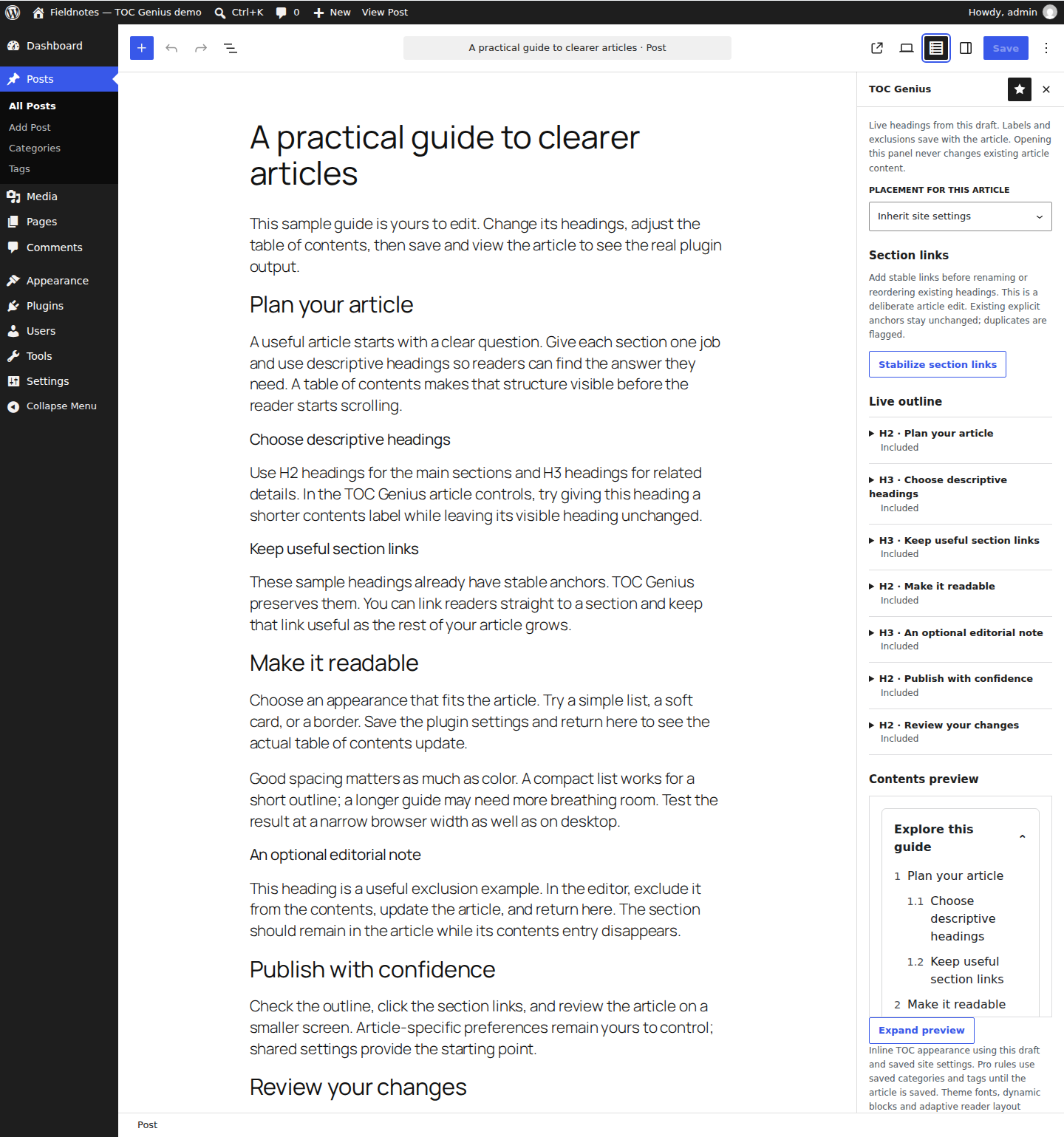 Free · Article editor
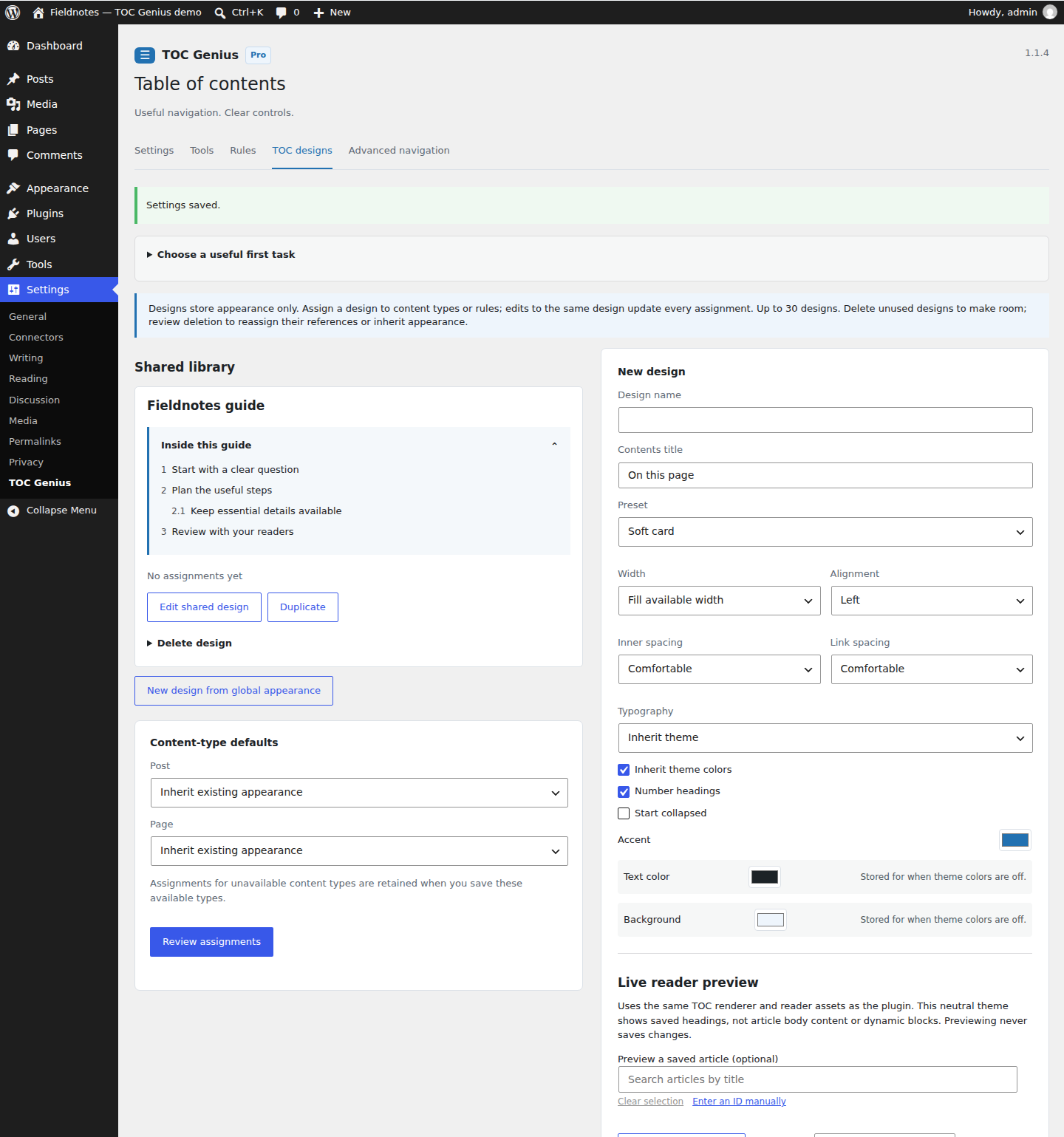 Pro · Shared designs
TOC Genius Pro · Annual plans
Your blog or business website
—USD / year · excl. taxAnnual renewal price is shown with the published offer.
—EUR / year · excl. taxAnnual renewal price is shown with the published offer.
—GBP / year · excl. taxAnnual renewal price is shown with the published offer.
—CAD / year · excl. taxAnnual renewal price is shown with the published offer.
—AUD / year · excl. taxAnnual renewal price is shown with the published offer.
All Pro features
12 months of downloads & support
Your collection of websites
—USD / year · excl. taxAnnual renewal price is shown with the published offer.
—EUR / year · excl. taxAnnual renewal price is shown with the published offer.
—GBP / year · excl. taxAnnual renewal price is shown with the published offer.
—CAD / year · excl. taxAnnual renewal price is shown with the published offer.
—AUD / year · excl. taxAnnual renewal price is shown with the published offer.
All Pro features
12 months of downloads & support
Your websites and client projects
—USD / year · excl. taxAnnual renewal price is shown with the published offer.
—EUR / year · excl. taxAnnual renewal price is shown with the published offer.
—GBP / year · excl. taxAnnual renewal price is shown with the published offer.
—CAD / year · excl. taxAnnual renewal price is shown with the published offer.
—AUD / year · excl. taxAnnual renewal price is shown with the published offer.
All Pro features
12 months of downloads & support
Loading current published annual prices. Checkout is available after prices are verified.
Your site keeps working. Installed plugins keep running after cancellation. Updates are manual downloads from your customer account.
Clear annual coverage. Each plan covers the selected number of sites for support and release downloads. Read the plan and cancellation details.
Review the purchase terms before payment.
Yes. Free has no time limit or account requirement. Its article controls keep working without Pro.
Yes. Use automatic placement, or add the TOC Genius block or [tocgenius] shortcode inside the article. A manual TOC replaces automatic insertion for that article.
You can rename TOC labels without changing your article headings. Existing heading IDs are preserved. Front-end rendering adds missing IDs without rewriting the stored article; saving heading preferences or stabilizing links in the editor can save IDs into the content. Read about stable section links.
Cancellation stops future renewals. Support and eligible release downloads continue until your paid period ends, and the installed plugin keeps working. If you deactivate Pro, Free continues; Pro rules, shared designs and advanced navigation stop applying.
TOC Genius works with article-body headings on individual posts and pages, with opt-in support for other public content types. Every theme and dynamic page builder combination has not been tested. Try the demo and test on staging before switching. Automatic migration from other TOC plugins is not included.
Free has been submitted as toc-genius and is under review. It is not yet listed in the public directory. You can download and install the ZIP here.
Start with Free · Version 1.1.4
Download, upload in WordPress, and choose your defaults in Settings → TOC Genius. No account, email or payment required for Free.