See what you will install.
These screenshots show the exact Free and Pro 0.4.3 packages in an isolated WordPress site with sample content. Free was captured with Pro absent. Open any image at full size to inspect the controls. The interactive sample is a separate browser simulation, not a live WordPress installation.
Version 1.1.2 retains the displayed features and original screenshot bytes. Historical version 0.4.5 corrected the Free translation domain and installation folder and adds compatibility notices. The article controls and features pictured remain available; the original 0.4.3 capture labels are retained. Follow the release notes when updating an earlier installation.
Try Free simulationTry Pro simulationDownload matched packages
Free: article control stays free
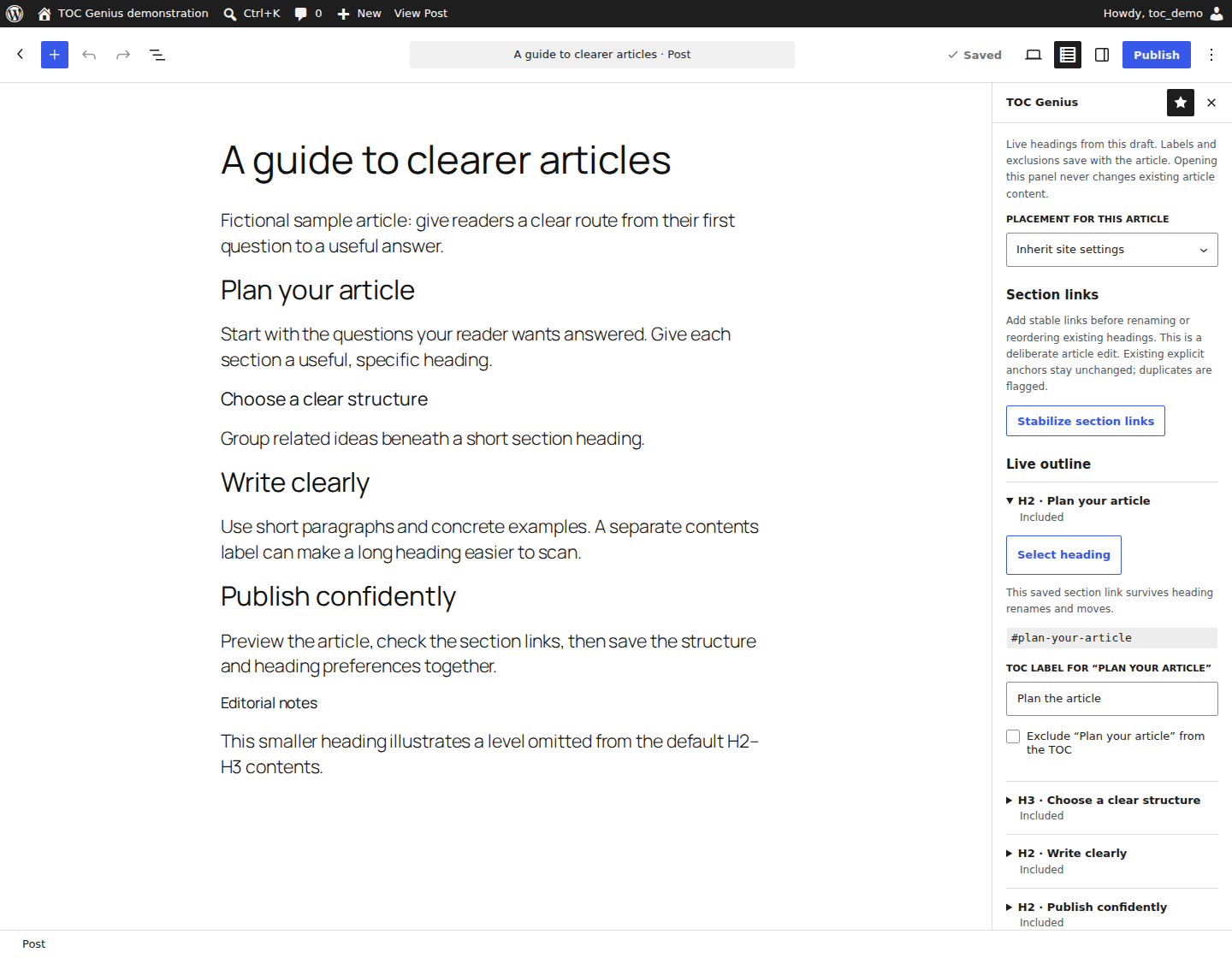
The Gutenberg sidebar reads unsaved static headings, selects the corresponding block, edits contents labels and exclusions, and shows a preview using the actual renderer. Applying heading preferences saves collision-checked anchors in the editor draft. You can also choose “Stabilize section links” explicitly in Gutenberg, or use the Classic editor checkbox. Existing anchors are preserved; historical articles are not rewritten on activation or opening.
Free · Gutenberg article editor
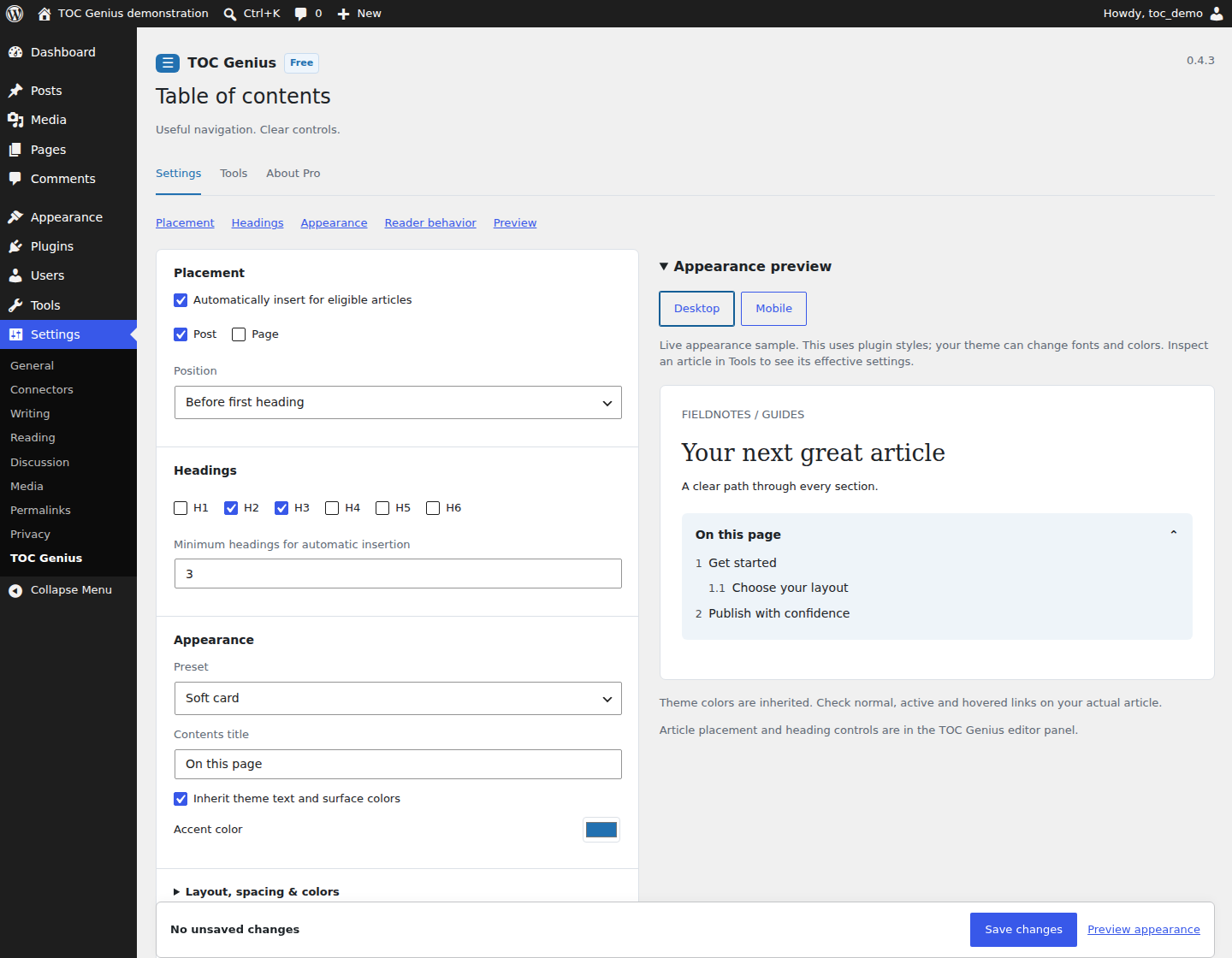
Free · Settings and appearance
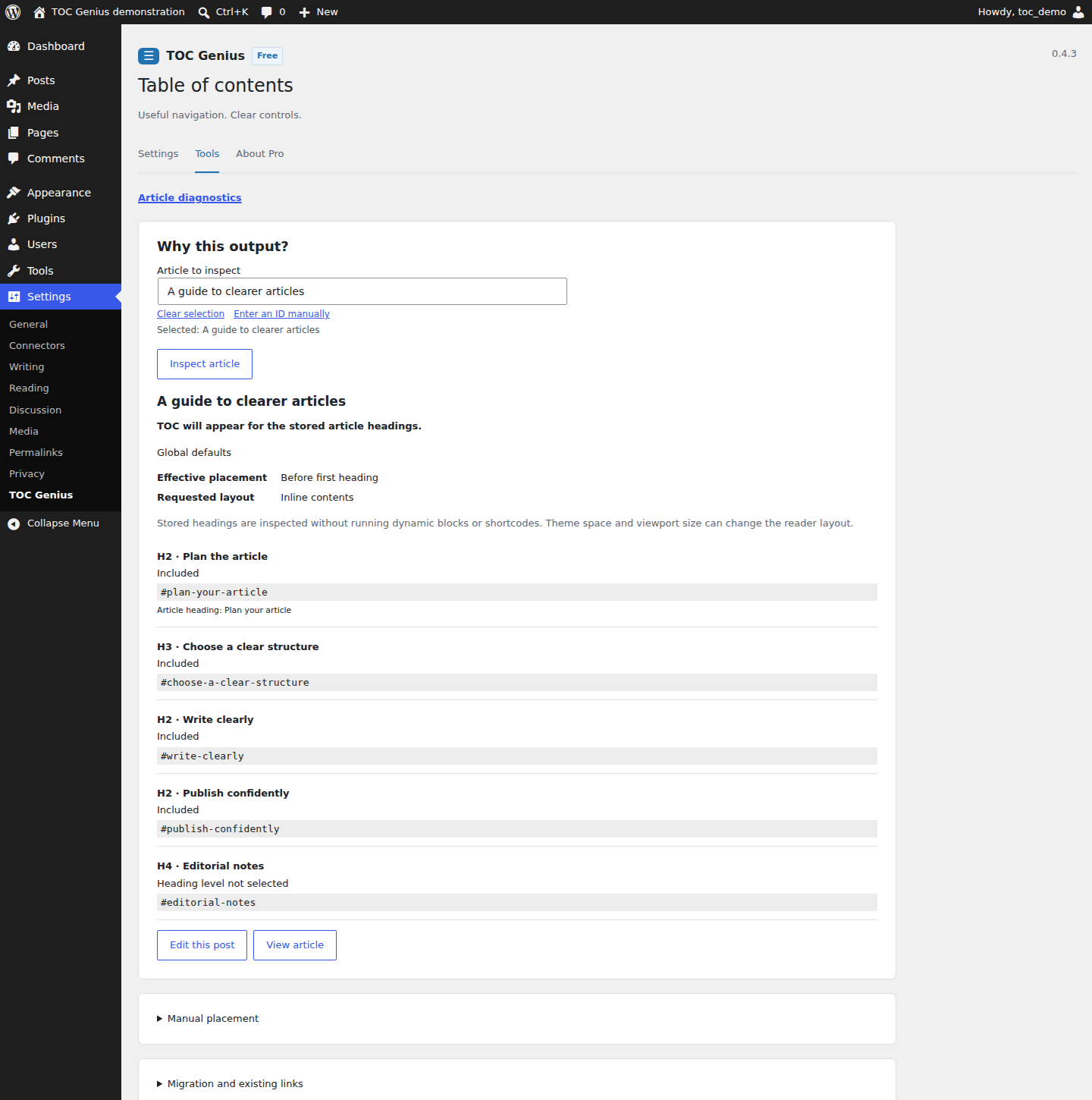
Free · Article diagnostics
Pro: manage many articles safely
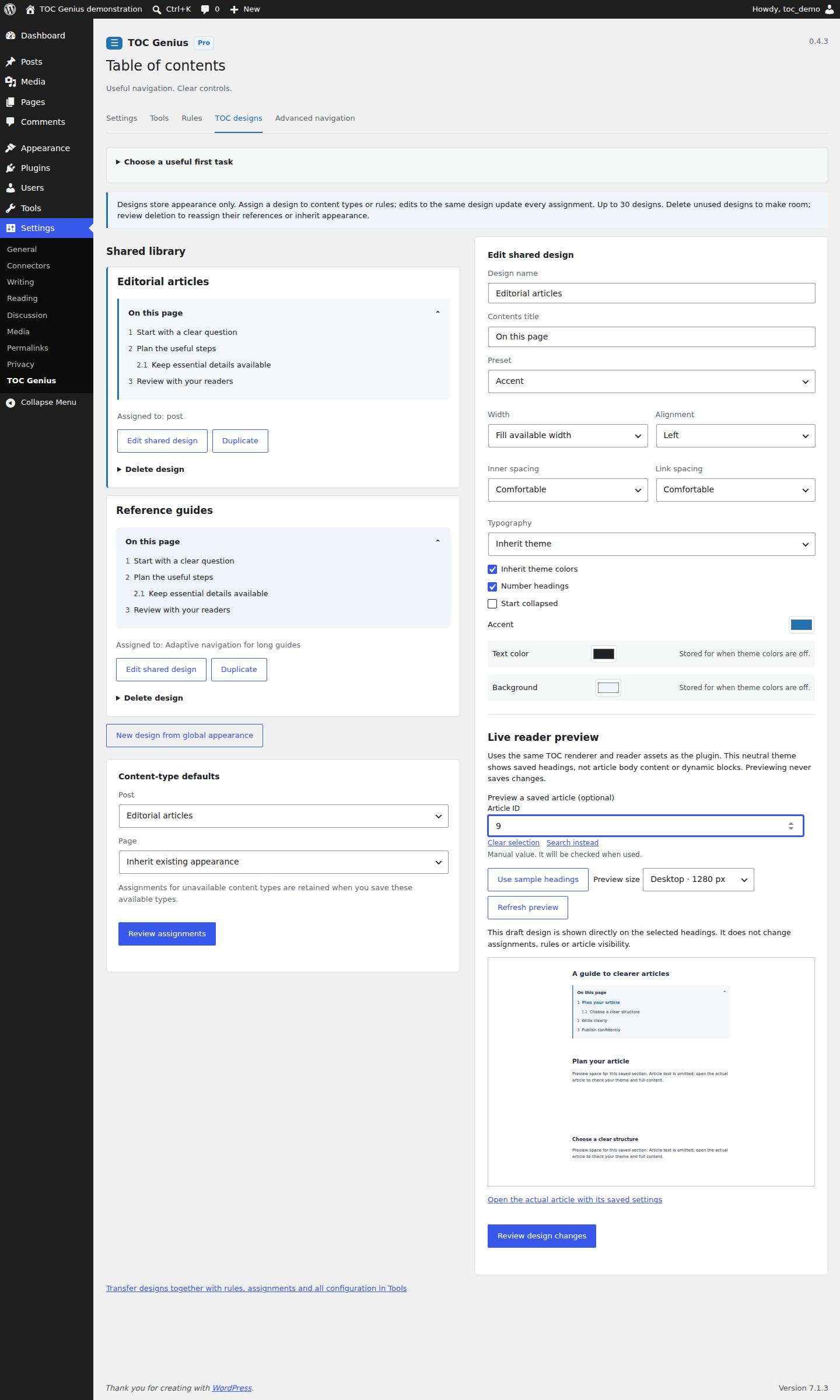
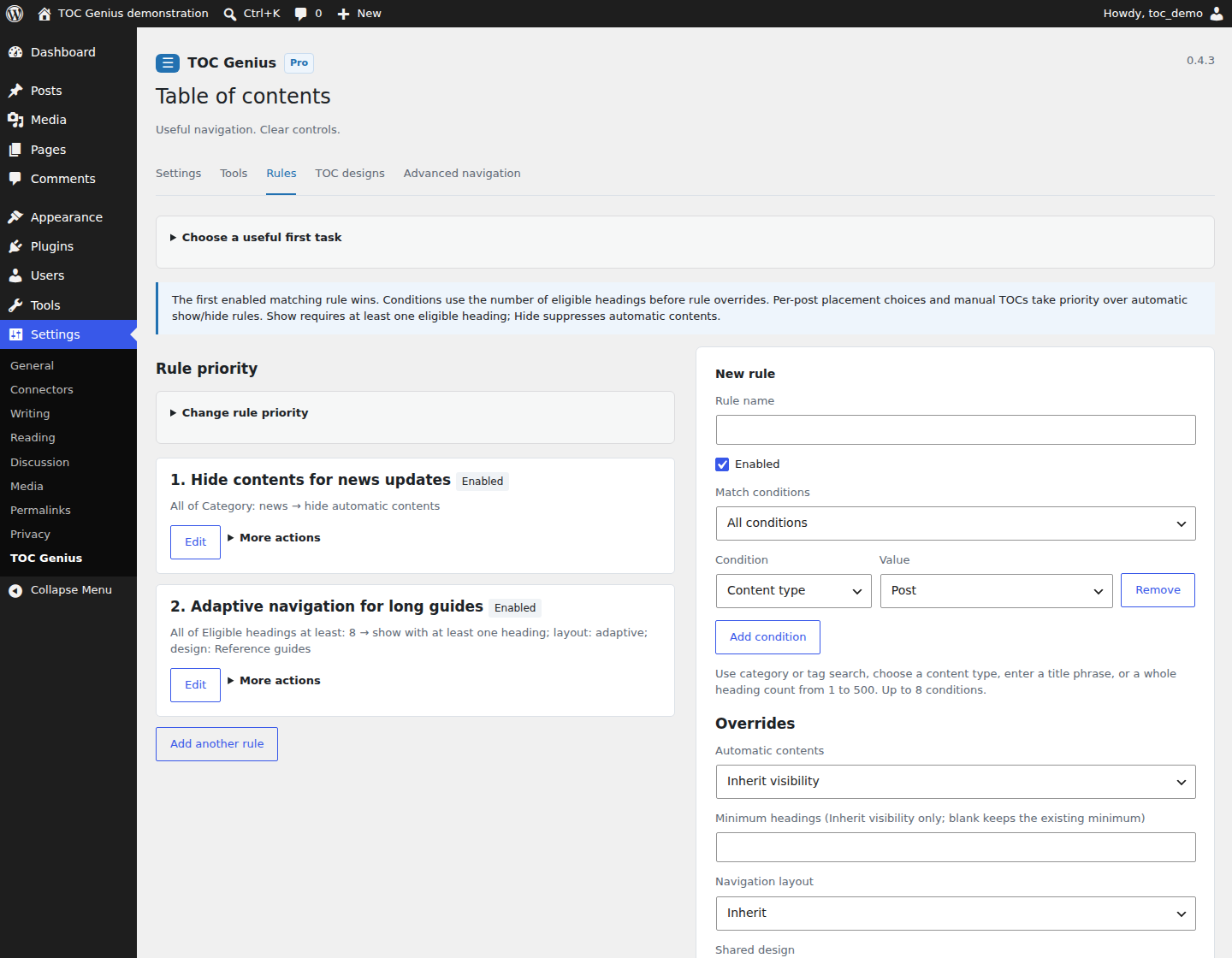
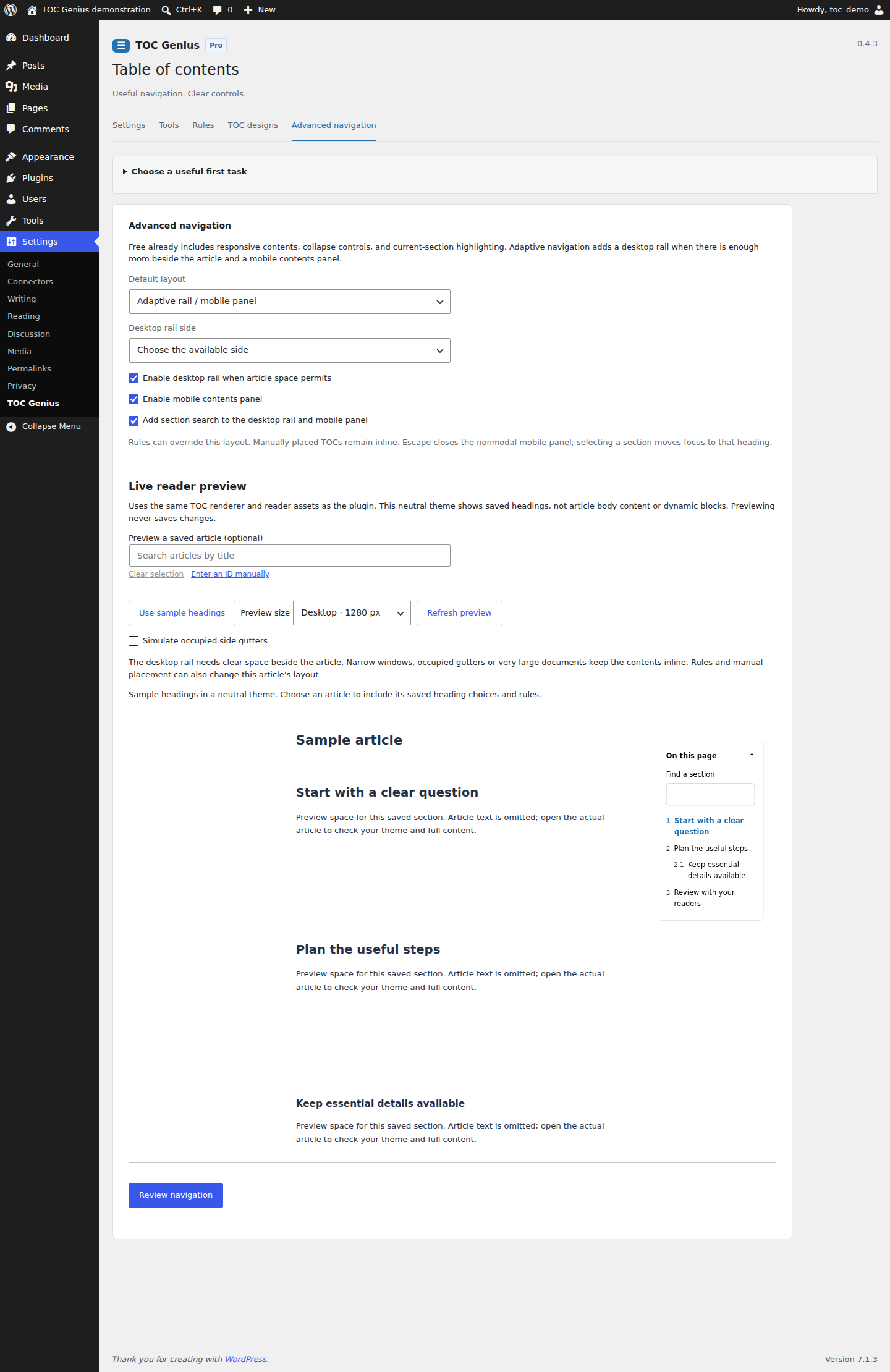
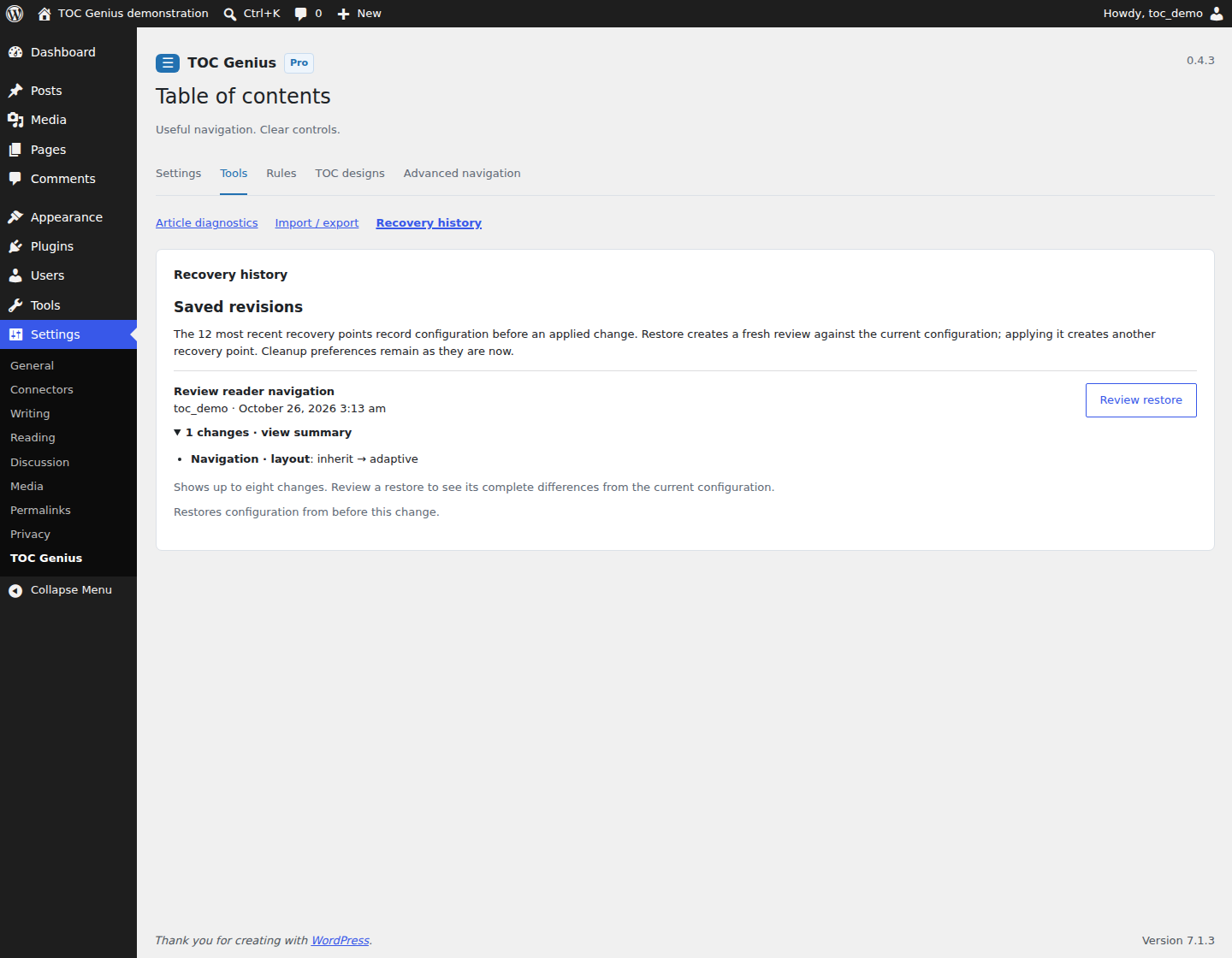
Pro adds ordered show/hide rules, reusable designs, assignments, adaptive reader navigation and complete configuration transfer. Batch rule priority is reviewed once. Live design and navigation samples use the native renderer with a chosen saved article. Recovery entries identify the change, administrator and time. Unchanged settings produce no write or history entry.
Pro · Shared designs
Pro · Publishing rules
Pro · Adaptive navigation
Pro · Configuration history
Clear boundaries
| Workflow | Free | Pro add-on |
|---|---|---|
| Article placement, labels, exclusions, stable anchors | Included | Uses Free core |
| Gutenberg live outline and real TOC block preview | Included for supported static blocks | Also applies saved Pro policies |
| Classic Editor controls and unmatched-preference recovery | Included; saved-heading list | Uses Free core |
| Configuration review, transfer and 12-entry recovery history | Not included; WordPress owns article revisions | Included; article content is outside configuration history |
| Automated migration | Not included | Not included |
| Paid checkout or automatic Pro updater | No account required | Not launched; manual matched updates |
Supported scope and validation
The 0.4.3 report records the exact package checks, WordPress and PHP versions, screenshot capture environment and known limits. Dynamic headings produced by other plugins can differ from stored-content previews. Check the final article in your own theme. The separate interactive demo illustrates selected workflows with browser-local sample data; it does not install WordPress or validate every native feature.